零基础学 Nginx:安装、启动、核心配置全流程
|
admin 2026年7月18日 23:47
本文热度 4823
2026年7月18日 23:47
本文热度 4823
|
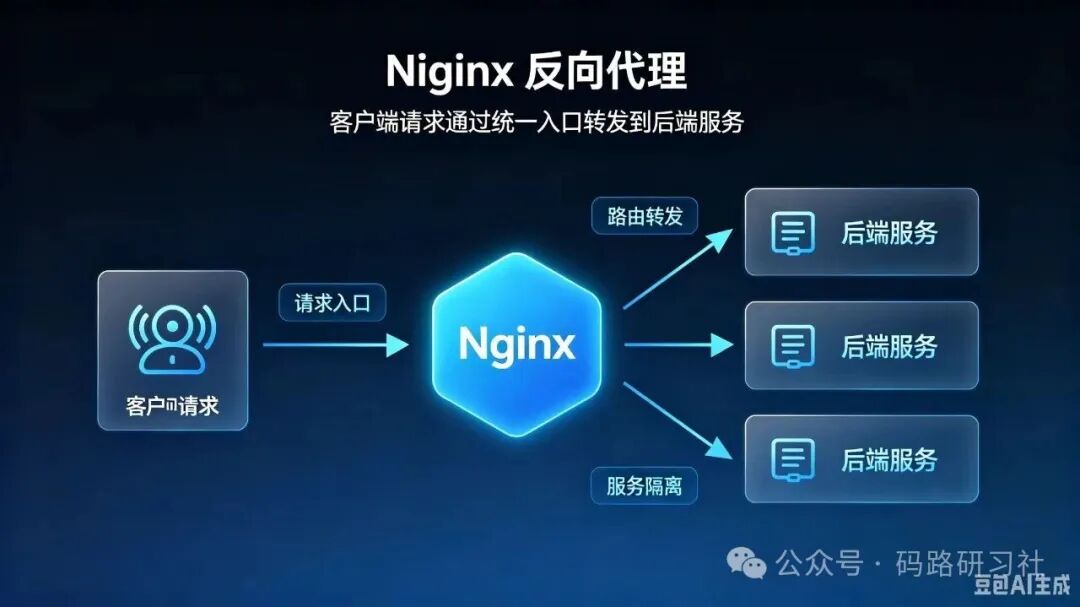
简单来说,Nginx就像一个“全能网关”,介于客户端和服务器之间,负责接收客户端的请求,再根据配置将请求分发到对应的服务,同时处理静态资源、优化请求效率,解决传统服务器的高并发瓶颈。
一、安装与命令
sudo apt update && sudo apt install nginx -y
sudo yum install nginx -y
nginx -t nginx -s reload nginx -s stop systemctl enable nginx systemctl status nginx
二、 静态托管
server { listen 80; server_name www.yourblog.com;
root /var/www/blog/dist; index index.html;
location / { try_files $uri $uri/ /index.html; }
location ~* \.(css|js|jpg|png|gif|ico|svg|woff2)$ { expires 30d; add_header Cache-Control "public, immutable"; }
location ~ /\.git { deny all; }}
三、反向代理
location /api/ { proxy_pass http://127.0.0.1:8080/;
proxy_set_header Host $host; proxy_set_header X-Real-IP $remote_addr; proxy_set_header X-Forwarded-For $proxy_add_x_forwarded_for; proxy_set_header X-Forwarded-Proto $scheme;
proxy_connect_timeout 60s; proxy_read_timeout 60s;}
四、 负载均衡
upstream backend_cluster { server 192.168.1.10:8080 weight=3 max_fails=3 fail_timeout=30s; server 192.168.1.11:8080 weight=1 max_fails=3 fail_timeout=30s; server 192.168.1.12:8080 backup;
}
server { location / { proxy_pass http://backend_cluster; proxy_set_header Host $host; }}
策略对比表
五、静态缓存
http { proxy_cache_path /var/cache/nginx levels=1:2 keys_zone=blog_cache:10m max_size=1g inactive=7d;
server { location / { proxy_cache blog_cache; proxy_cache_key "$host$request_uri"; proxy_cache_valid 200 301 302 7d; proxy_cache_valid 404 1m; proxy_cache_valid any 5m;
add_header X-Cache-Status $upstream_cache_status;
proxy_pass http://127.0.0.1:8080; } }}
六、强制 HTTPS 跳转
server { listen 80; server_name www.yourblog.com; return 301 https://$server_name$request_uri;}
server { listen 443 ssl http2; server_name www.yourblog.com;
ssl_certificate /etc/letsencrypt/live/yourblog.com/fullchain.pem; ssl_certificate_key /etc/letsencrypt/live/yourblog.com/privkey.pem;
add_header Strict-Transport-Security "max-age=31536000; includeSubDomains" always;
ssl_protocols TLSv1.2 TLSv1.3; ssl_ciphers HIGH:!aNULL:!MD5; ssl_prefer_server_ciphers on;
}
免费证书申请命令
sudo apt install certbot python3-certbot-nginx -ysudo certbot --nginx -d yourblog.com -d www.yourblog.com
七、性能优化组合拳
http { gzip on; gzip_min_length 1k; gzip_types text/plain text/html text/css application/javascript application/json; gzip_vary on;
limit_req_zone $binary_remote_addr zone=blog_req:10m rate=1r/s;
server { location / { limit_req zone=blog_req burst=5 nodelay; } }}
八、常见问题排查表
| | |
|---|
| 502 Bad Gateway | | netstat -tlnp |
| 403 Forbidden | | chmod -R 755 /var/www |
| 404 Not Found | | nginx -T |
| 重定向死循环 | | 检查 X-Forwarded-Proto 传递是否正确 |
| 缓存不生效 | | chown -R nginx:nginx /var/cache/nginx |
该文章在 2026/7/18 23:47:55 编辑过






 400 186 1886